
Picking an image format used to be simple: JPG for photos, PNG for graphics, done. In 2026 there are two more serious contenders — WEBP and AVIF — and picking the wrong one quietly costs you page speed, search rankings, and in some cases visible quality. Here’s a straightforward breakdown of all four, and exactly when to use each.
The Short Answer
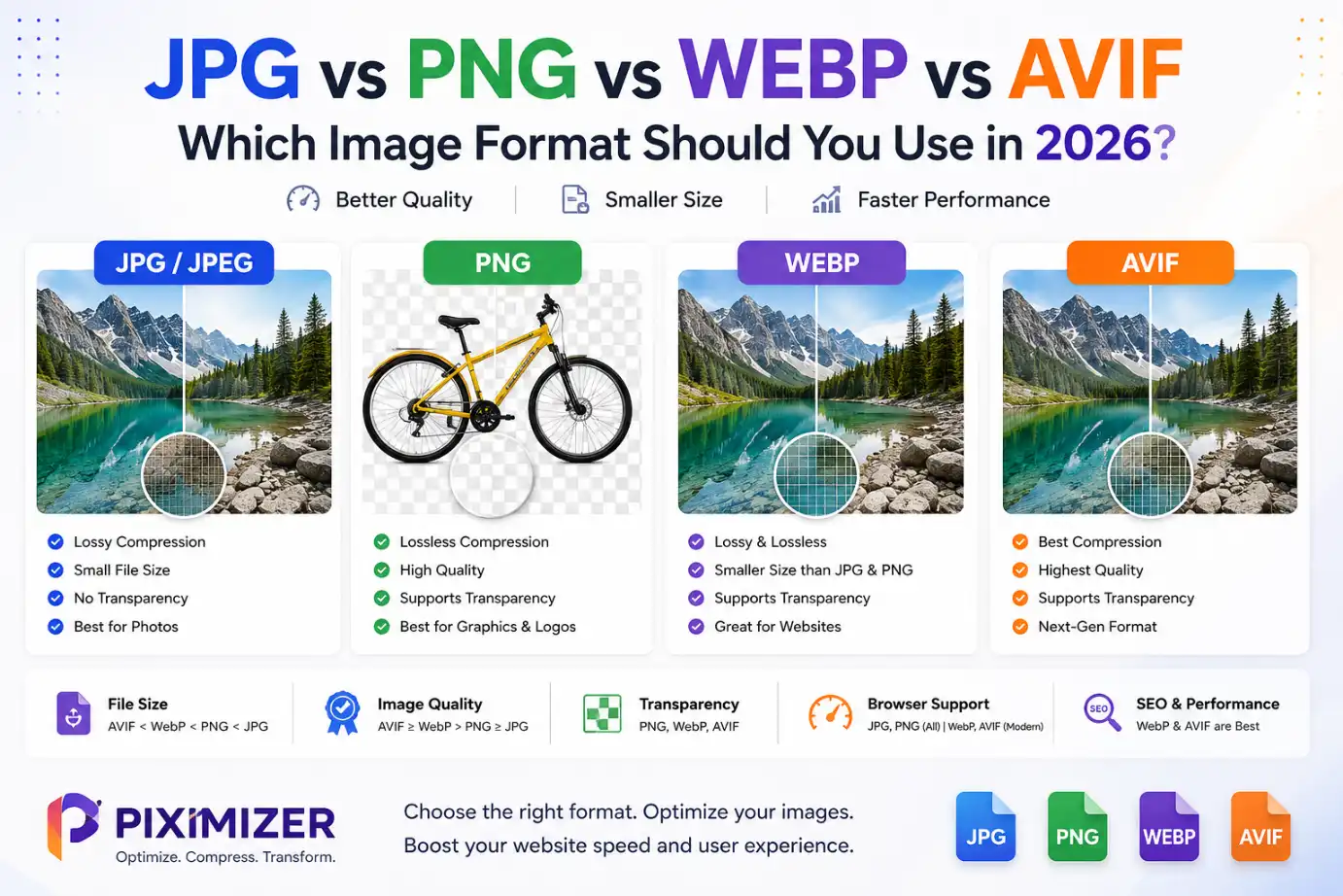
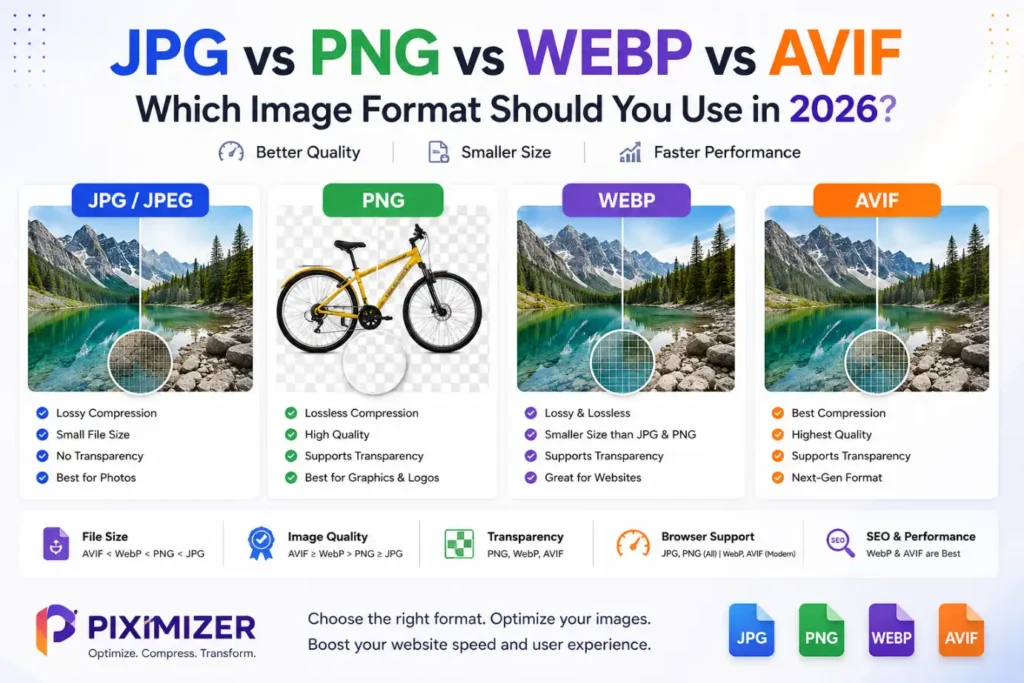
For most website images in 2026, WEBP is the safest default — it’s smaller than both JPG and PNG at equivalent quality, supports transparency, and is supported by essentially every modern browser. AVIF compresses even further and is worth using for large hero images and product photography where every kilobyte matters. JPG still earns its place for compatibility-critical cases like email and print. PNG remains the right call specifically for graphics, logos, and screenshots that need lossless detail or transparency and aren’t better served by SVG.
The Four Formats, Compared
JPG (JPEG)
The oldest of the four, dating to 1992, and still the most universally compatible image format that exists — it opens correctly in literally every browser, email client, and image viewer ever made. It uses lossy compression with an adjustable quality setting, and at a quality of roughly 75–85%, most photographs are visually indistinguishable from the uncompressed original while being a fraction of the size.
Use JPG for: email attachments, print-ready assets, and any situation where maximum compatibility matters more than shaving off extra kilobytes.
PNG
PNG uses lossless compression — no image data is discarded, so the file is pixel-for-pixel identical to the original. That makes it the right choice for anything where sharp edges and flat colors matter: logos, icons, screenshots, and any graphic that needs a transparent background. The tradeoff is file size — PNGs are typically much larger than JPG or WEBP for the same photographic content.
Use PNG for: logos and icons (unless SVG is available), screenshots, and any graphic needing true transparency.
WEBP
Developed by Google, WEBP does the job of JPG, PNG, and GIF all at once, and does it better. Its lossy mode is typically 25–35% smaller than an equivalent JPG at the same visual quality; its lossless mode beats PNG by a similar margin. It also supports transparency and animation. Browser support is effectively universal among modern browsers, which is why WEBP has become the default output format for most content management systems, including recent versions of WordPress.
Use WEBP for: the large majority of website images — it’s the sensible all-around default in 2026.
AVIF
The newest of the four, built on the AV1 video codec (the same codec used for efficient video streaming). AVIF offers the best compression of any widely supported format today, often producing files around half the size of an equivalent JPG, while also supporting HDR and a wider color range. The tradeoff is slower encoding and slightly less universal browser support than WEBP — though this gap continues to close.
Use AVIF for: large hero images, banners, and photo-heavy pages where the extra file-size savings are worth pairing it with a WEBP or JPG fallback.
A Simple Decision Guide
- Photo on a website → WEBP (or AVIF for hero/banner images, with a WEBP or JPG fallback)
- Logo or icon → SVG if possible, otherwise PNG
- Screenshot with text → PNG (lossless keeps text sharp)
- Email attachment or printed material → JPG
- Product photo needing a transparent background → PNG or WEBP, after removing the background
Why This Actually Matters for SEO and Site Speed
Image weight is one of the most common reasons websites load slowly, and page speed is a confirmed factor in how Google ranks pages. Switching heavy JPG or PNG images to WEBP alone commonly cuts total image weight by 25–50%, which directly improves load time and Core Web Vitals scores — the metrics Google uses to judge page experience.
How to Actually Convert and Compress in the Right Format
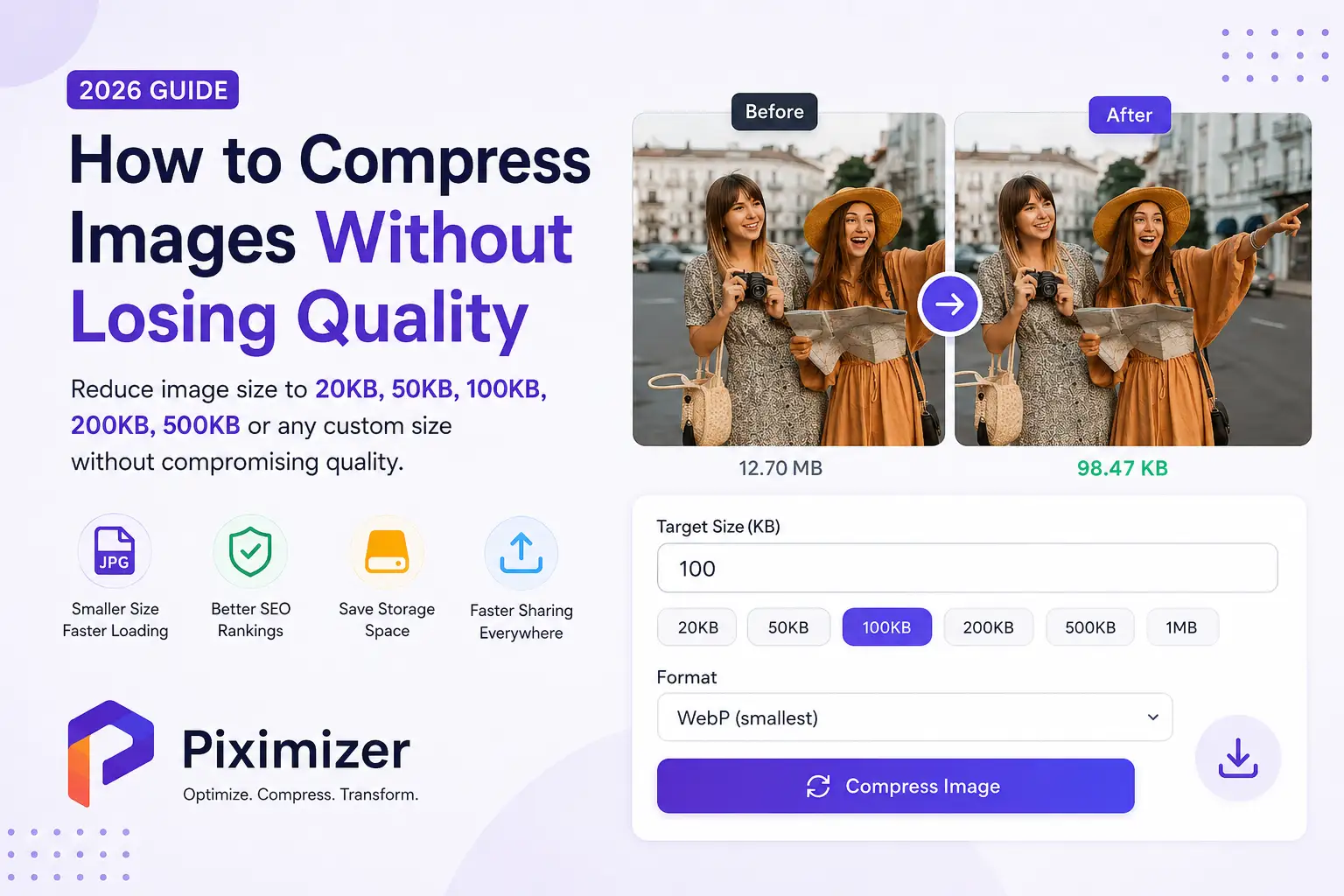
Knowing which format to use is only half the job — you still need to get your images into that format and sized correctly. Piximizer’s Image Compressor already supports JPG, PNG, WEBP, SVG, and AVIF, so you can upload an image in whatever format you have and compress it with either:
- Default (Smart) Compression — automatically balances size and quality, or
- Targeted Compression — hits an exact file size (like 50KB or 100KB) when a platform or form has a strict upload limit.
(Format conversion between JPG, PNG, WEBP, and AVIF is coming soon to Piximizer as well — so you’ll be able to convert and compress in one place.)
Quick Recap
- WEBP — the practical default for most web images in 2026.
- AVIF — best compression available, worth it for hero images and photo-heavy pages.
- JPG — still correct for email, print, and maximum compatibility.
- PNG — correct for graphics, logos, and anything needing lossless detail or transparency (with SVG as the better option for pure logos/icons).
Pick the format based on what the image actually is and where it’s going — not habit — and you’ll get smaller files without any visible drop in quality.