
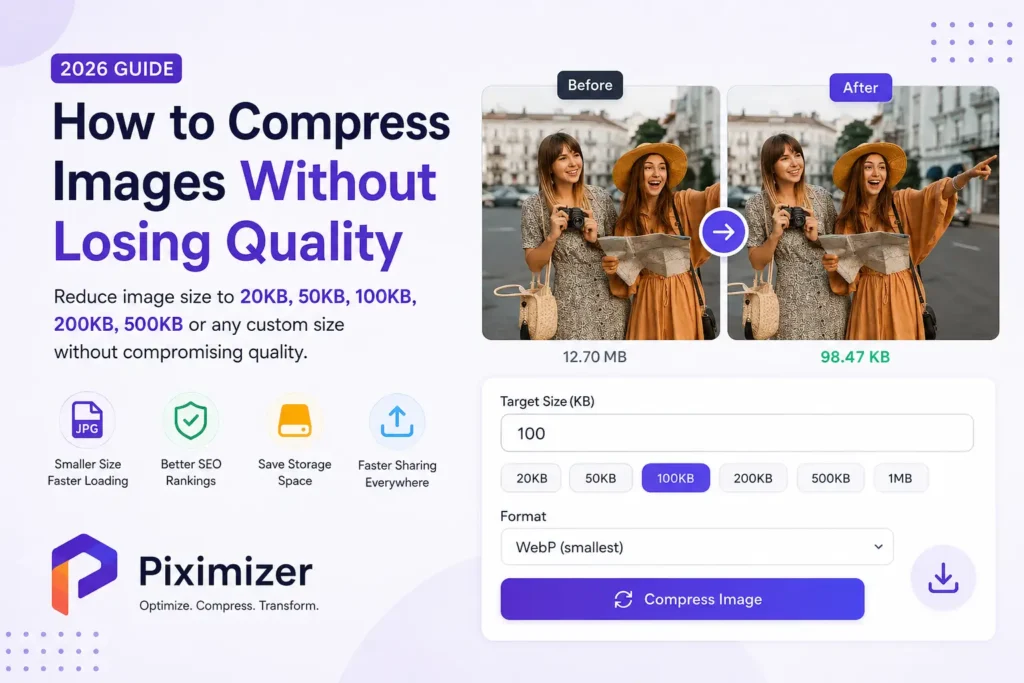
How to Compress Images Without Losing Quality
Large image files can significantly impact website performance, increase storage usage, and make file sharing slower. Whether you’re a blogger, business owner, photographer, student, designer, or developer, optimizing images is one of the simplest ways to improve performance while maintaining excellent visual quality.
Modern websites rely heavily on high-quality images to engage visitors. However, uploading large files without optimization can slow down page loading times, affect search engine rankings, and reduce the overall user experience. Image compression solves this problem by reducing file size while preserving image clarity.
Piximizer makes image compression simple and efficient. With support for popular image formats such as JPG, JPEG, PNG, WebP, SVG, GIF, BMP, and AVIF, you can optimize your images in seconds without installing any software.
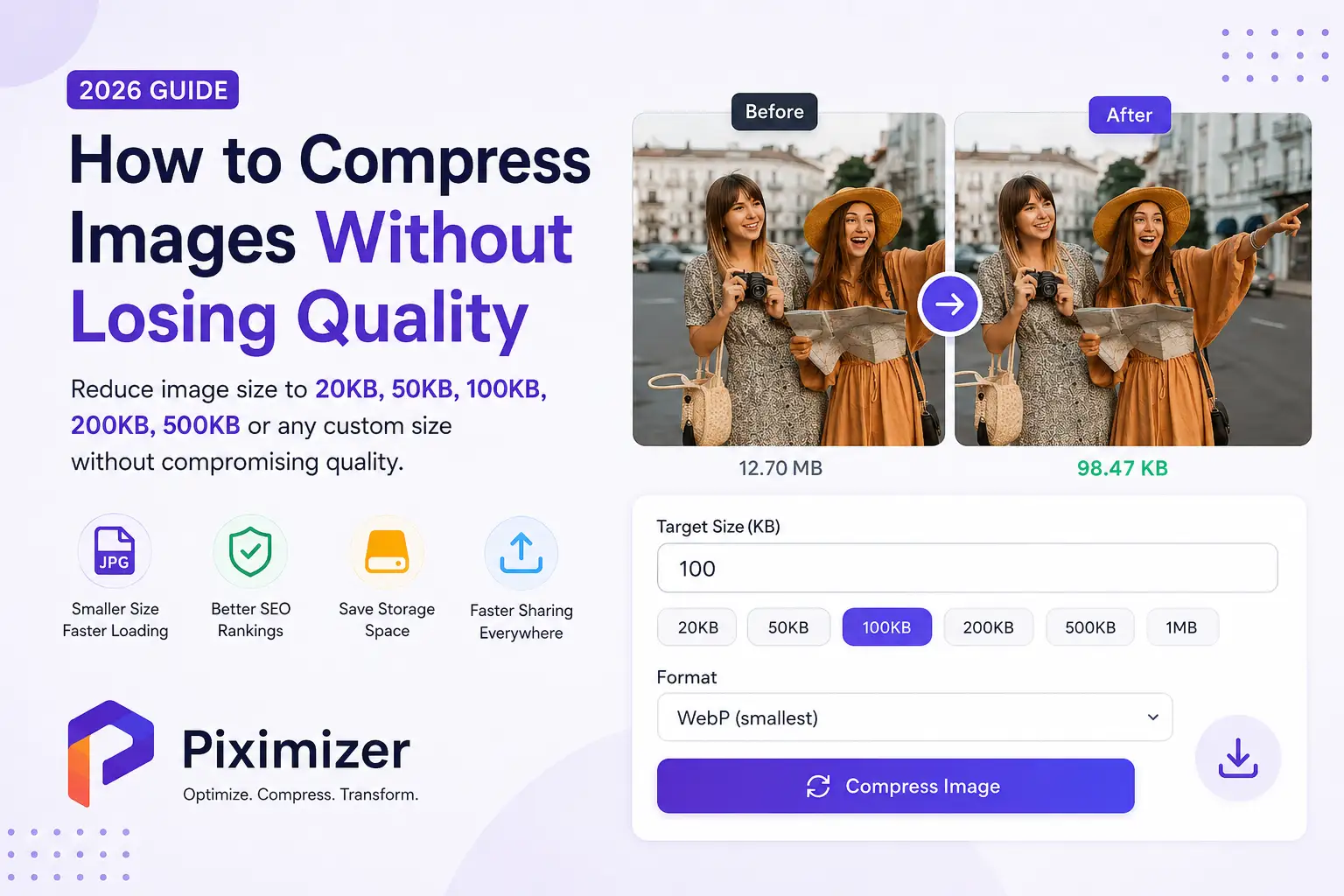
One of Piximizer’s standout features is the ability to compress images to a specific target size, making it ideal for websites, online applications, social media, and storage optimization.
What is Image Compression?
Image compression is the process of reducing the file size of an image while preserving as much visual quality as possible.
Instead of changing how an image looks, compression removes unnecessary image data and optimizes how the file is stored. The result is a much smaller image that loads faster and consumes less storage.
For example:
| Original | Compressed |
|---|---|
| 10 MB | 150 KB |
| 5 MB | 100 KB |
| 2 MB | 50 KB |
Despite the dramatic reduction in file size, a properly compressed image remains visually appealing and suitable for websites, social media, and digital content.
Why Image Compression Matters
Every image uploaded to a website contributes to page size. Large images force visitors to download more data, resulting in slower loading speeds.
A slow website affects both user experience and search engine rankings.
Compressing images provides several important benefits.
Faster Website Loading
Smaller images load much faster than uncompressed files.
Benefits include:
- Faster page loading
- Better mobile performance
- Lower bounce rates
- Improved visitor experience
- Higher engagement
Better SEO Performance
Google considers website speed as an important ranking signal.
Optimized images help improve:
- Core Web Vitals
- Page Speed Insights score
- Mobile usability
- Crawl efficiency
- User experience
Faster websites generally perform better in search results because users spend more time browsing instead of waiting for pages to load.
Save Storage Space
High-resolution images consume significant storage space.
Compressing them allows you to:
- Save hard drive space
- Reduce cloud storage usage
- Upload files faster
- Manage large image collections efficiently
This is especially useful for photographers, businesses, and eCommerce stores that handle thousands of images.
Improve Sharing Speed
Compressed images upload and download much faster.
Perfect for:
- Email attachments
- Telegram
- Google Drive
- Dropbox
- Microsoft OneDrive
- Social Media
Instead of waiting for large files to upload, optimized images can be shared instantly.
Who Should Compress Images?
Image compression benefits almost everyone working with digital content.
Bloggers
Improve page speed and enhance SEO performance by optimizing blog images before publishing.
eCommerce Businesses
Compress product images without compromising quality to create faster online stores and improve customer experience.
Photographers
Store thousands of high-quality images while reducing storage requirements.
Designers
Optimize UI assets, marketing banners, presentations, and design files.
Developers
Improve website performance and reduce bandwidth consumption.
Digital Marketers
Optimize landing page images and improve advertising campaign performance.
Students
Compress assignment files before uploading to online portals.
Businesses
Manage digital assets more efficiently while reducing storage costs.
Supported Image Formats
Piximizer supports all major image formats.
- JPG
- JPEG
- PNG
- WebP
- SVG
- GIF
- AVIF
- BMP
- TIFF
Whether you’re optimizing product images, photographs, graphics, or website assets, Piximizer provides reliable compression for every format.
Key Features of Piximizer Image Compressor
Piximizer is designed to deliver professional-quality image optimization with a simple and intuitive interface.
High-Quality Compression
Reduce image file sizes while preserving excellent visual quality.
Custom Target File Size
Compress images to:
- 20 KB
- 50 KB
- 100 KB
- 200 KB
- 500 KB
- 1 MB
Or enter any custom target size that fits your requirements.
Multiple Image Formats
Optimize JPG, PNG, WebP, SVG, GIF, AVIF, BMP, and more.
Fast Processing
Compress images within seconds using a modern browser-based tool.
Secure Processing
Your files remain private throughout the compression process.
No Installation Required
Everything works directly in your browser without downloading software.
How to Compress Images Using Piximizer
Compressing images with Piximizer is simple and takes just a few seconds. Whether you want to reduce the file size for your website, social media, email, or online applications, Piximizer provides complete control over the compression process while maintaining excellent image quality.
Step 1: Upload Your Image
Visit the Piximizer Image Compressor and upload your image by dragging and dropping it into the upload area or selecting it from your device.
Piximizer supports multiple image formats, including:
- JPG
- JPEG
- PNG
- WebP
- SVG
- GIF
- BMP
- AVIF
Step 2: Choose Your Output Format
Select the output format that best suits your needs. If you’re optimizing images for websites, WebP offers excellent compression with high visual quality. JPG is ideal for photographs, while PNG is best for transparent graphics.
Step 3: Set Your Target File Size
Unlike traditional image compressors that only offer Low, Medium, or High compression, Piximizer allows you to specify an exact target file size.
Simply enter your desired size in kilobytes and Piximizer will optimize the image accordingly.
Popular target sizes include:
- Compress image to 20KB
- Compress image to 50KB
- Compress image to 100KB
- Compress image to 200KB
- Compress image to 500KB
- Compress image below 1MB
- Compress image to any custom size
This feature is especially useful when uploading files to platforms with strict file size requirements.
Step 4: Compress Your Image
Click the Compress Image button to begin optimization. Piximizer intelligently reduces the file size while preserving the best possible image quality.
The compression process usually takes only a few seconds.
Step 5: Download the Optimized Image
Once compression is complete, preview the optimized image and download it instantly. Your compressed image is now ready for websites, emails, social media, online forms, or cloud storage.
Compress Images to Your Desired File Size
Many websites and online portals require images to meet specific file size limits. Piximizer makes this easy by allowing you to enter a custom target size instead of relying on fixed compression levels.
Whether you need to compress an image to 20KB, 50KB, 100KB, 200KB, 500KB, or 1MB, Piximizer helps you achieve the desired file size while maintaining excellent visual quality.
This saves time and eliminates the need for repeated manual compression attempts.
Why Compress Images to 20KB?
Some government websites, online application portals, and document submission platforms only accept images under 20KB.
Piximizer helps you optimize passport photos, signatures, ID proofs, and profile pictures to meet these strict upload requirements without affecting readability.
Why Compress Images to 50KB?
Compressing images to 50KB is useful for online forms, educational institutions, employee portals, and lightweight website assets.
Smaller images also load much faster on mobile devices.
Why Compress Images to 100KB?
One of the most common search queries is “Compress Image to 100KB.”
A 100KB image is ideal for:
- Job applications
- Government portals
- Student admissions
- Blog images
- News websites
- Portfolio websites
- Online profile photos
Piximizer makes achieving this target simple with its custom size feature.
Why Compress Images to 200KB?
A 200KB image provides an excellent balance between quality and file size.
Perfect for:
- Product images
- Business websites
- Corporate profiles
- Landing pages
- Marketing materials
- Presentations
Why Compress Images to 500KB?
If you want to maintain maximum quality while still reducing file size, compressing images to 500KB is an excellent choice.
Suitable for:
- Photography portfolios
- Real estate images
- High-quality banners
- Print-ready previews
- Design mockups
Compress Images Below 1MB
Many platforms require images below 1MB.
Piximizer helps optimize:
- Resume photos
- Event registrations
- Scholarship applications
- Visa applications
- Passport applications
- Professional documents
without sacrificing image quality.
Benefits of Custom Target Size Compression
Piximizer’s custom target size feature offers several advantages.
- Greater control over image optimization
- Faster uploads
- Better website performance
- Reduced storage usage
- Compliance with upload limits
- Improved user experience
- No repeated compression attempts
Instead of estimating the compression level, simply enter the exact file size you need.
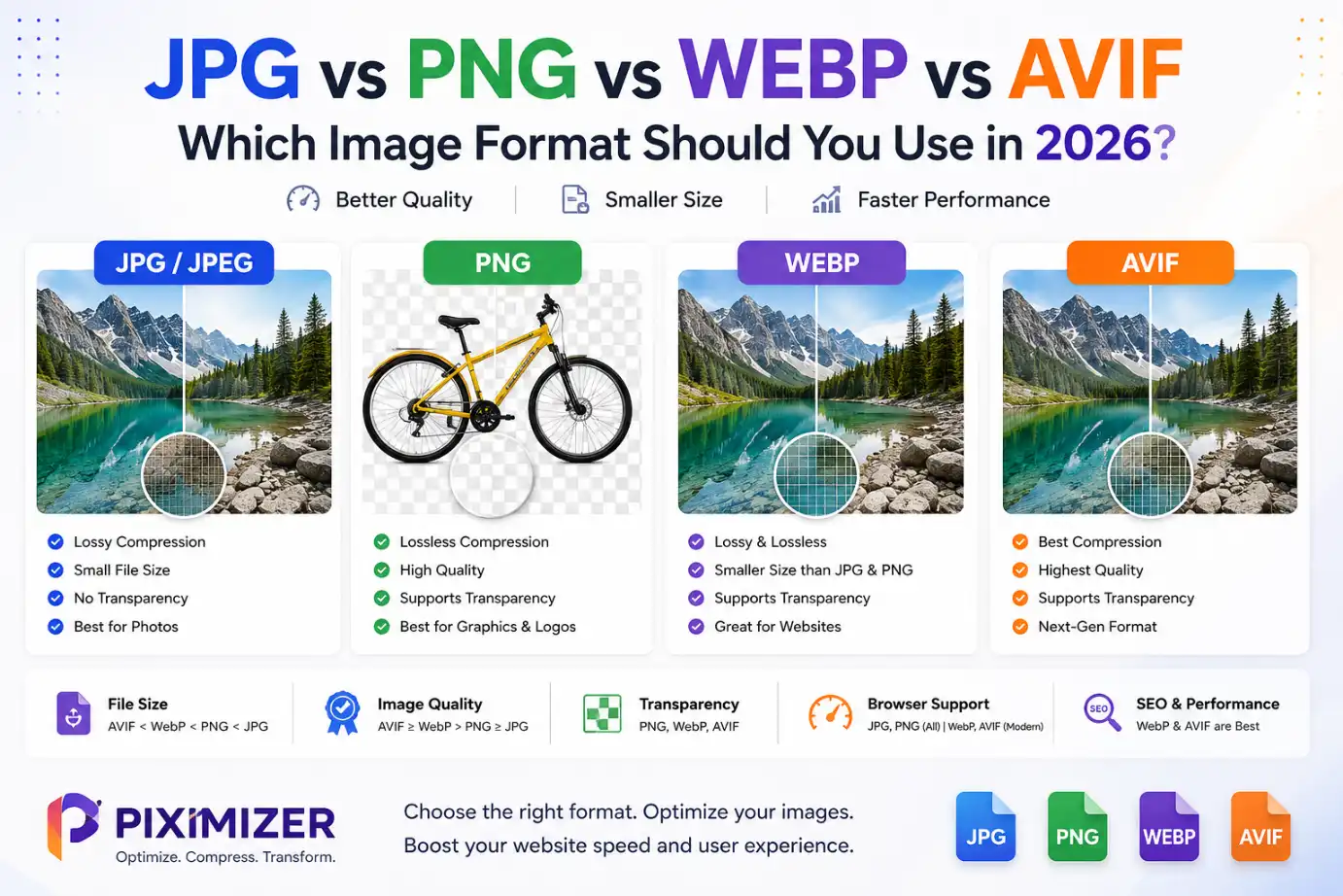
Best Image Formats for Compression
Choosing the right image format can significantly improve compression results.
JPG
Ideal for photographs and general-purpose images.
Advantages:
- Small file size
- Excellent compatibility
- Fast loading
- Perfect for websites
PNG
Best for graphics with transparency.
Advantages:
- Transparent background support
- High-quality graphics
- Ideal for logos
- UI elements
WebP
One of the best image formats for modern websites.
Advantages:
- Smaller than JPG
- Better quality
- Faster loading
- Supported by modern browsers
SVG
Perfect for icons and vector graphics.
Advantages:
- Infinitely scalable
- Extremely lightweight
- Best for websites
- Crisp graphics
Tips for Better Image Compression
To achieve the best results, follow these simple practices.
- Resize large images before compressing.
- Choose the appropriate image format.
- Use WebP whenever possible.
- Compress images before uploading them to your website.
- Avoid compressing the same image multiple times.
- Keep a backup of the original image.
- Optimize images for mobile users.
- Name image files using descriptive keywords for SEO.
Common Image Compression Mistakes
Avoid these common mistakes when optimizing images.
- Uploading 10MB images directly to websites.
- Using PNG for every image.
- Ignoring modern formats like WebP.
- Compressing images repeatedly.
- Uploading unoptimized product photos.
- Using oversized hero images.
- Forgetting to optimize mobile images.
- Ignoring image dimensions.
Why Choose Piximizer?
Piximizer is built for speed, simplicity, and professional-quality results.
Unlike traditional image compression tools, Piximizer gives you complete control over your output file size while maintaining excellent visual quality.
Whether you’re compressing images for websites, online applications, eCommerce stores, social media, blogs, or personal projects, Piximizer provides a fast and reliable solution for every workflow.